자바스크립트 npm: package.json의 정보를 가져와 웹 페이지에 보여주기
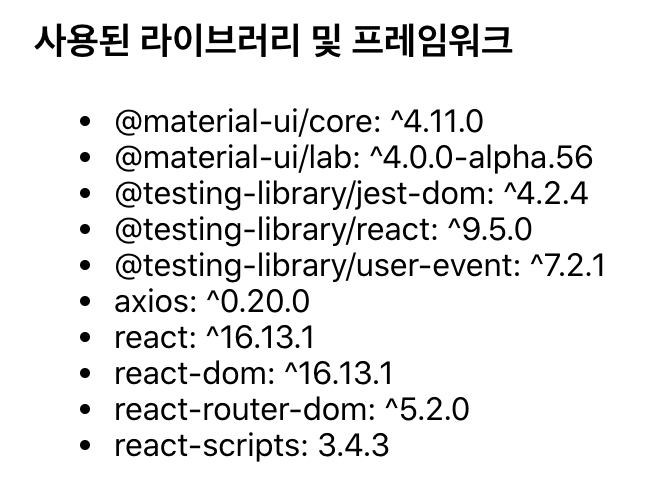
자바스크립트 npm으로 만든 프로젝트에서 package.json의 정보를 가져와 웹 페이지에 보여주는 방법입니다.
package.json을 import문을 사용하여 불러오면 객체로 사용할 수 있습니다. 다른 json 파일도 마찬가지입니다.
1
2
3
4
5
6
7
8
9
10
11
12
13
14
15
16
17
18
19
20
21
22
23
24
import React from 'react';
import Container from '@material-ui/core/Container';
import packageJson from './../../package.json'

const Home = () => {

    const dependencies = packageJson.dependencies
    const depElements = []
    for(let key in dependencies) {
        depElements.push(<li key={key}>{`${key}: ${dependencies[key]}`}</li>)
    }

    return (
        <Container>
            <h3>사용된 라이브러리 및 프레임워크</h3>
            <ul>
                {depElements}
            </ul>
        </Container>
        );

}

export default Home
This post is licensed under
CC BY 4.0
by the author.