자바(Java) 예제: 페이지네이션(Pagination, 페이징, 페이지 내비게이션) 도와주는 프로그램
자바(Java) 예제: 페이지네이션(Pagination, 페이징, 페이지 내비게이션) 도와주는 프로그램
페이지네이션, 페이징, 페이지 내비게이션 등 다양한 이름으로 불리는 이것은 웹 페이지에서 흔히 볼 수 있는 페이지 번호를 클릭하면 특정 페이지로 이동하는 부분이나 기법을 통칭하는 용어입니다.
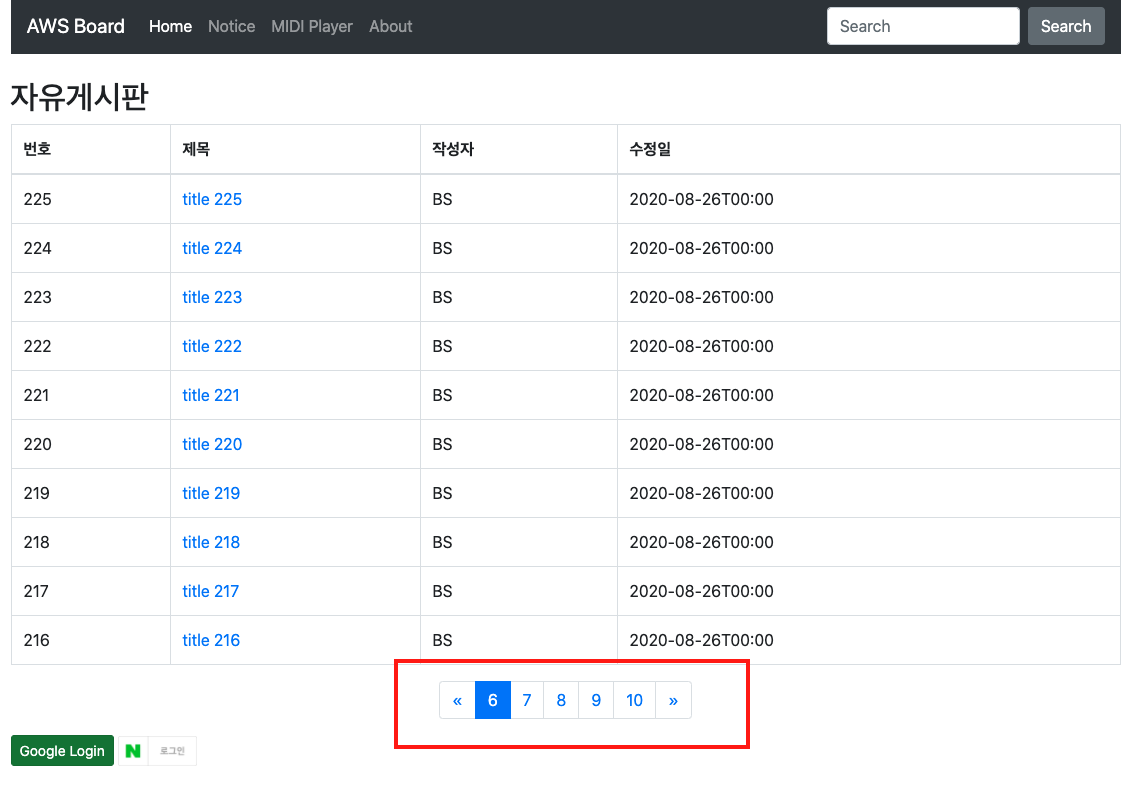
위의 HTML 요소 전부를 편의상 블럭이라고 하겠습니다. 이 예제는 (1) 현재 페이지, (2) 블럭 당 페이지 개수, (3) 전체 글 개수, (4) 페이지당 글 개수에 따라 블럭에 몇 페이지부터 몇 페이지를 표시할지 숫자들을 알려줍니다.
코드
위의 예제 코드는 스프링 등 웹 서비스 프레임워크에서 사용할 수 있으며, 아래는 컨트롤러에서 사용한 간략한 예제입니다. (Lombok 사용됨)
예제 (일부)
1
2
3
4
5
6
7
8
9
10
11
12
13
14
15
16
17
18
19
20
21
22
23
24
25
26
27
28
29
30
31
32
33
34
35
36
37
38
39
40
41
42
43
44
45
import com.example.awsboard.service.posts.PostsService;
import com.example.awsboard.util.Paginator;
import com.example.awsboard.web.dto.PostsListResponseDTO;
import com.example.awsboard.web.dto.PostsResponseDTO;
import lombok.RequiredArgsConstructor;
import org.springframework.stereotype.Controller;
import org.springframework.ui.Model;
import org.springframework.web.bind.annotation.GetMapping;
import org.springframework.web.bind.annotation.PathVariable;
import org.springframework.web.bind.annotation.RequestParam;

import java.util.List;
import java.util.Map;

@RequiredArgsConstructor
@Controller
public class IndexController {

    private final PostsService postsService;

    private static final Integer POSTS_PER_PAGE = 10;
    private static final Integer PAGES_PER_BLOCK = 5;

    @GetMapping("/")
    public String index(Model model, @LoginUser SessionUser user,
                        @RequestParam(value = "page", defaultValue = "1") Integer page) {

        // 글 목록 전송
        model.addAttribute("boardTitle", "자유게시판");
        model.addAttribute("requestFrom", "posts");

        // 페이지네이션
        try {
            Paginator paginator = new Paginator(PAGES_PER_BLOCK, POSTS_PER_PAGE, postsService.count());
            Map<String, Object> pageInfo = paginator.getFixedBlock(page);

            model.addAttribute("pageInfo", pageInfo);
        } catch(IllegalStateException e) {
            model.addAttribute("pageInfo", null);
            System.err.println(e);
        }

        model.addAttribute("posts", postsService.findAllByOrderByIdDesc(page, POSTS_PER_PAGE));

// .... 이하 생략 .... //
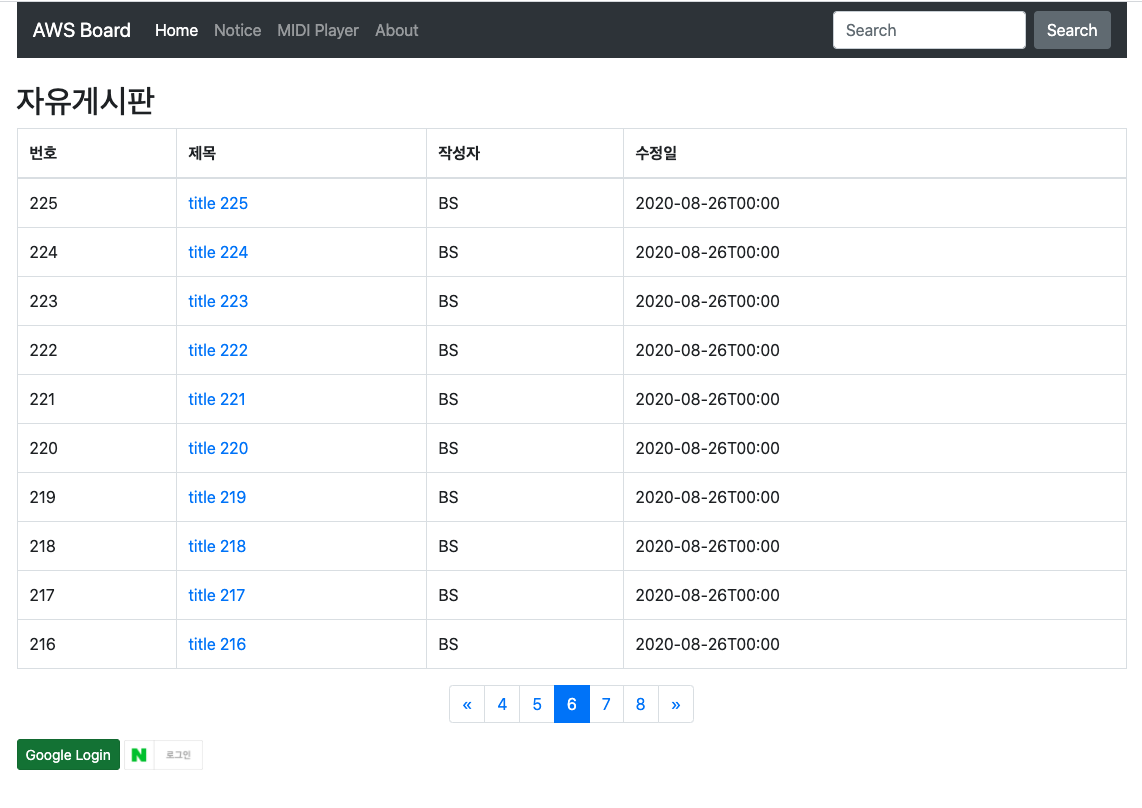
참고로 첫 번째 그림은 getFixedBlock()을 적용한 것이며, 6페이지를 getElasticBlock()으로 적용하면 다음과 같습니다.
This post is licensed under
CC BY 4.0
by the author.